
Category Archives: Berry van den Heuvel
Key in logical table is a superset or subset of another key in this table
Problem: Consistency Check Warning / Error No. 39011
Screenshot:
[39011] Key '"[BUSINESS MODEL]"."[LOGICAL_TABLE]"."[KEY_NAME]"' in logical table "[BUSINESS_MODEL]"."[LOGICAL_TABLE]" is a superset or subset of another key in this table. Any redundant table key should be removed.
Solution:
- click Go To or double click on “[BUSINESS MODEL]”.”[LOGICAL_TABLE]”
- select the Keys tab
- select the incorrect key
- click remove
- click OK
- check in the rpd
The error message is not displayed anymore.
Het bericht Key in logical table is a superset or subset of another key in this table verscheen eerst op OBIEE 24/7 | Oracle Business Intelligence.
Level has no defined key to uniquely identify members
Problem: Consistency Check Warning No. 39002
Screenshot:
WARNINGS:
Business Model Koninklijke Bibliotheek: Uitleningen:
[39002] Level "[BUSINESS_MODEL]"."[DIMENSION]"."[LEVEL]" has no defined key to uniquely identify members.
Solution:
open logical model
- open the BUSINESS_MODEL
- open the DIMENSION
- double click on the LEVEL
- click in the section Key Name
- insert the name of the key
- click in the section Columns
- select column that uniquely defines the level
- click OK
- check consistency
Het bericht Level has no defined key to uniquely identify members verscheen eerst op OBIEE 24/7 | Oracle Business Intelligence.
Calendar icon not displayed in prompt
Sometimes after editing a variable prompt, the calendar icon is not displayed anymore, while the Variable Data Type is Date.
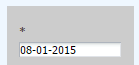
To show the icon again, follow these steps;
- make a copy of the prompt
- open the catalog manager
- move to the prompt
- edit XML
- change
-
<saw:promptUIControl xsi:type="saw:editBox">
in
-
<saw:promptUIControl xsi:type="saw:calendar">
- save the XML and log in to OBIEE
- the calendar icon is displayed again and a date can be selected after clicking on it
Het bericht Calendar icon not displayed in prompt verscheen eerst op OBIEE 24/7 | Oracle Business Intelligence.
Calendar icon not displayed in prompt
Sometimes after editing a variable prompt, the calendar icon is not displayed anymore, while the Variable Data Type is Date.
To show the icon again, follow these steps;
- make a copy of the prompt
- open the catalog manager
- move to the prompt
- edit XML
- change
-
<saw:promptUIControl xsi:type="saw:editBox">
in
-
<saw:promptUIControl xsi:type="saw:calendar">
- save the XML and log in to OBIEE
- the calendar icon is displayed again and a date can be selected after clicking on it
Het bericht Calendar icon not displayed in prompt verscheen eerst op OBIEE 24/7 | Oracle Business Intelligence.
Apply patches
You can apply patches for OBIEE by following these steps.
- download the patches at www.oracle.com
- create a temporary directory. For example;
mkdir /Patches
- go to the directory
cd /Patches/
- copy the patches to this directory
- unzip the downloaded files (this can take a while)
unzip -q '*.zip'
- add the path to OPatch to the PATH directory
ORACLE_HOME=/u01/app/oracle/fmw/Oracle_BI1
export ORACLE_HOME
PATH=$PATH:$ORACLE_HOME/OPatch
export PATH
- run the stop commands
- for each patch, change the directory to the directory with name = [patchnumber]
- apply the patch for each patch seperately (answer Y on any question proceed?)
opatch apply
- verify if all patches are installed
opatch lsinventory
- run the start commands
OBIEE is patched now! 
Het bericht Apply patches verscheen eerst op OBIEE 24/7 | Oracle Business Intelligence.
 Specialist in liberating data into valuable information for the business.